

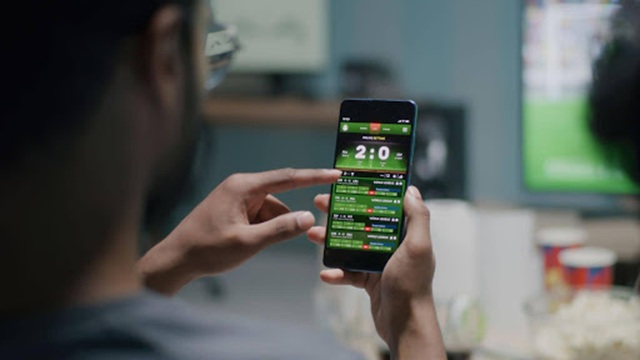
Bookmaker apps tend to make the same promises: faster betting, smoother navigation and a better live experience. Screenshots can make those claims convincing, but they reveal little about what happens when odds are changing and a match is already underway.
A useful comparison starts with the things you can actually test. Load time, live-price updates, bet-slip response and stability matter more than an award badge. Even something as basic as the 1xbet app download is better assessed after installation, when you can see how the mobile product performs during normal use. The same principle applies to any bookmaker: test the app rather than relying on the description of it.
Speed Matters More Than Screenshots
App-store images are designed to show a product at its best. Ratings can be useful, but an impressive average may hide recent complaints about crashes, login problems or poor performance during major events.
Speed is easier to judge yourself. Start with the app completely closed and time how long it takes to reach a usable home or live screen. Then search for a particular match, open its markets and add a selection to the bet slip.
On a solid 4G or 5G connection, a well-optimised app in 2026 can commonly become usable within 1–3 seconds. Consistent waits above 4–5 seconds are much more noticeable, especially when using live markets.
The same applies after leaving the app. Put it in the background for several minutes during a match, reopen it and see whether it returns to the same event or reloads from scratch.
Live Betting Is the Toughest Test
An app can look excellent when nothing is moving. Live sport exposes its weaknesses much faster.
Odds should refresh without requiring a full-page reload. The bet slip should remain accessible while moving between markets, and changing prices should be clearly marked rather than silently replacing the original selection.
Live-price delays are particularly important. If visible odds are regularly more than 2–3 seconds behind the action, the number selected may disappear before confirmation. Bet confirmation itself should ideally take under 2 seconds in normal conditions.
When comparing apps, check:
- cold-start time and navigation speed;
- live-odds refresh behaviour;
- bet-slip response and confirmation time;
- stability during high-profile matches;
- behaviour after switching between apps;
- battery use and device temperature during longer sessions.
That final point is easy to overlook. Some apps run comfortably for extended periods, while others cause noticeable heating or battery drain after 30–40 minutes of continuous live use.
Market Navigation Can Make a Big Difference
A bookmaker may advertise thousands of markets, but quantity means little if finding the one you want takes too long.
Pick the same upcoming match on each app and measure how quickly you can get from the home screen to a specific market. Repeat the exercise with a live event.
Good navigation becomes especially important for online sports betting when one event may contain match odds, totals, handicaps, player markets and numerous secondary options. Search, filters and sensible market grouping can make a bigger practical difference than the total number of selections advertised.
The bet slip deserves the same attention. Stake, current odds and potential return should all be obvious before confirmation. If the odds change, the app should make that clear before the bet is accepted.
Cash-Out and Payments Matter Too
The less glamorous parts of an app often reveal more about its quality.
Open an active bet and see how many taps it takes to reach cash-out when the feature is available. Check whether partial cash-out is clearly distinguished from a full exit.
Payment screens should also explain supported methods, processing stages and any verification requirements without forcing users through unnecessary menus. A polished home screen means little if transaction history or withdrawal information is difficult to locate.
The same applies to account controls. Deposit limits, session reminders and self-exclusion settings should be straightforward to find rather than hidden several layers deep in account menus.
Native App or PWA?
Many bookmakers provide both native applications and progressive web apps (PWAs). There is no automatic winner.
Native apps can offer stronger integration with device features, including biometric login and push notifications. They may also handle background activity more smoothly.
PWAs have different advantages. They generally use less storage and can receive updates without waiting for app-store approval. A well-designed PWA may even load faster than a poorly optimised native application.
If both versions are available, compare them on the same phone and network. That removes hardware and connection differences from the test.
Consistent Testing Makes Comparisons More Reliable
A simple comparison table prevents a polished design from influencing the overall verdict too much.
| Test area | What to measure | Useful benchmark |
| Cold start | Time to usable screen | 1–3 seconds on a good connection |
| Live odds | Visible update interval | Under 2–3 seconds |
| Bet confirmation | Tap to confirmed stake | Under 2 seconds |
| Cash-out | Taps needed to reach feature | 1–3 taps |
| Account tools | Access to limits and reminders | Clearly visible, not buried |
Run each test under roughly the same conditions. If one app is tested on Wi-Fi at home and another on a weak mobile connection, the comparison tells you very little.
Longer testing matters too. Spend 30–45 minutes following a live event and watch for crashes, overheating, repeated logins or delayed screens.
Long-Term Use Can Reveal Different Problems
Some problems only become obvious after several days. Frequent forced logins can become irritating. Promotional notifications may overwhelm useful alerts. Transaction histories may be difficult to search, or an app may become noticeably less stable after an update.
Check whether promotional notifications can be disabled without losing important account or bet-settlement messages. Also look at how clearly open bets, settled bets and previous transactions are organised.
Responsible gambling controls deserve the same practical test. Having a limit-setting feature is one thing; making it easy to locate and understand is another.
Letting Performance Decide the Review
Comparing bookmaker apps does not require complicated technical testing. It requires consistency.
Use the same phone, connection, match and sequence of actions wherever possible. Measure how quickly each app opens, how live odds behave, how easy markets are to find and whether the bet slip works reliably. Then test payments, cash-out, account controls and longer sessions.
Marketing can tell you that an app is fast or seamless. It cannot tell you whether it takes 2 seconds or 5 seconds to become usable, whether live prices lag by 3 seconds, or whether your phone starts heating up after 40 minutes.
Those differences are what make one mobile bookmaker genuinely easier to use than another.